
Schengen 90/180 compliance for UK and US employers
Schengen day tracking for your travelling teams
See each employee’s remaining Schengen days and check how a proposed trip affects their 90/180-day allowance before you approve travel.
Free during the private beta. Replies within two working days.
- Clear day counts. See the travel records behind each result.
- Try the free calculator. It runs the same engine.
- Database hosted in the UK. Encrypted at rest and in transit.
- Based on your travel records. ComplyEur does not connect to EES.
Check the travel dates before you commit to a job.
Keep recorded business and personal travel together so your team can check each employee’s allowance.
ComplyEur checks every proposed trip against the rolling window and gives you an answer right away.
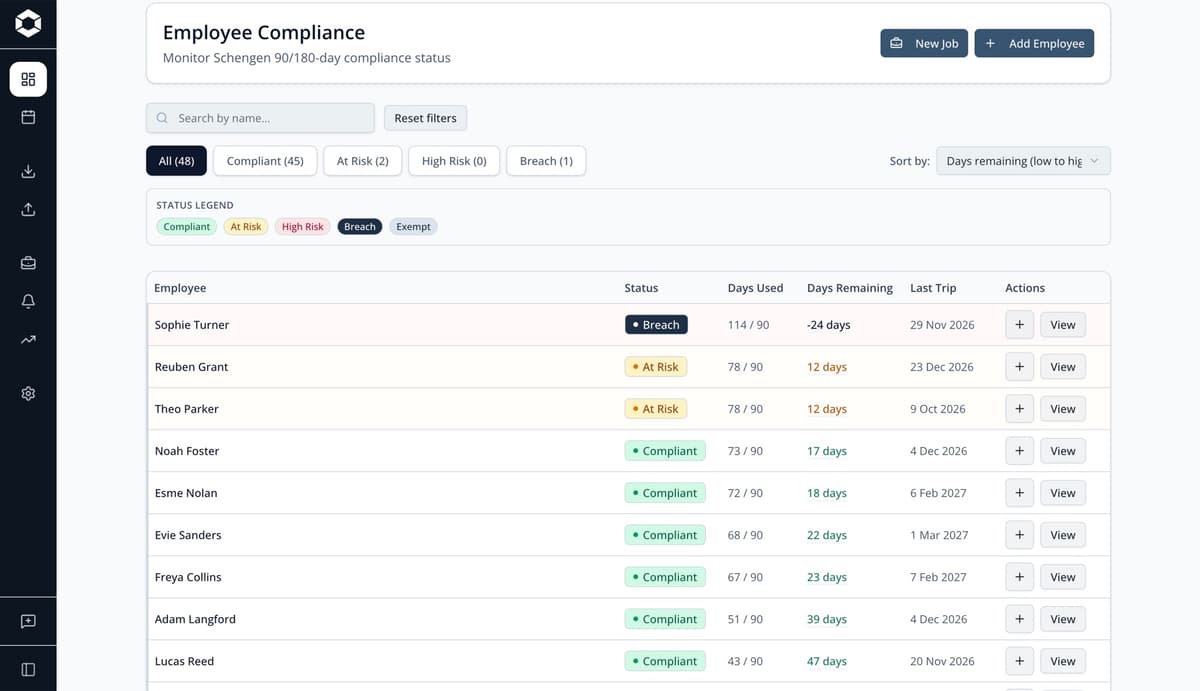
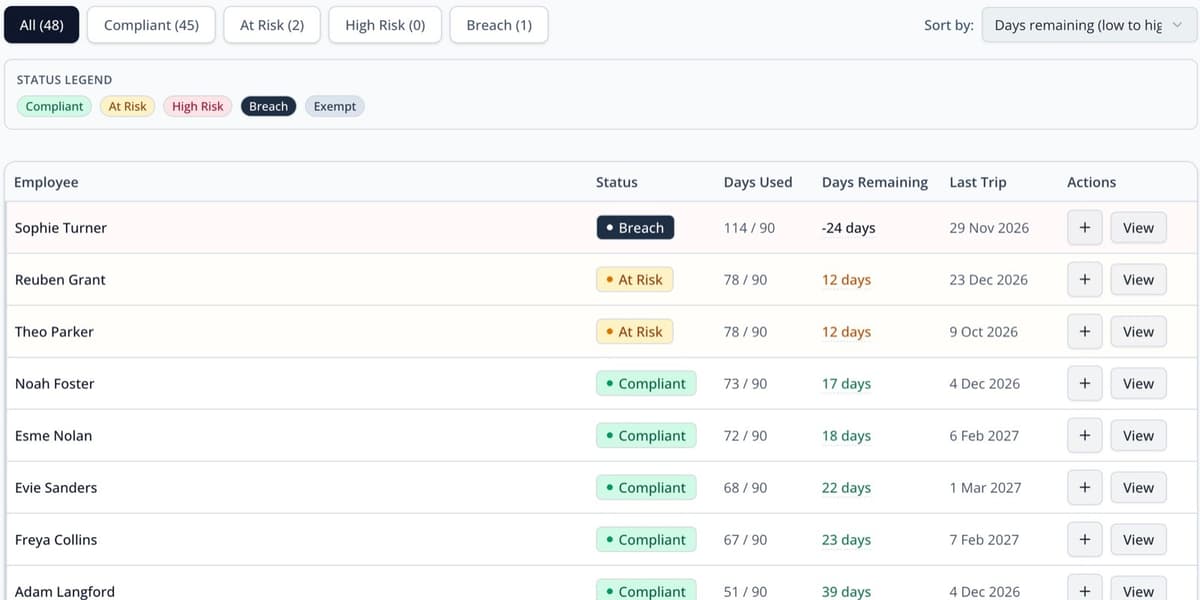
See who has Schengen days available.
Check each employee’s used and remaining days at a glance. Those at risk are sorted to the top.
- Status for every employee at a glance
- Days remaining shown for all employees
Use it when: you want a quick morning check, before anyone has to ask.
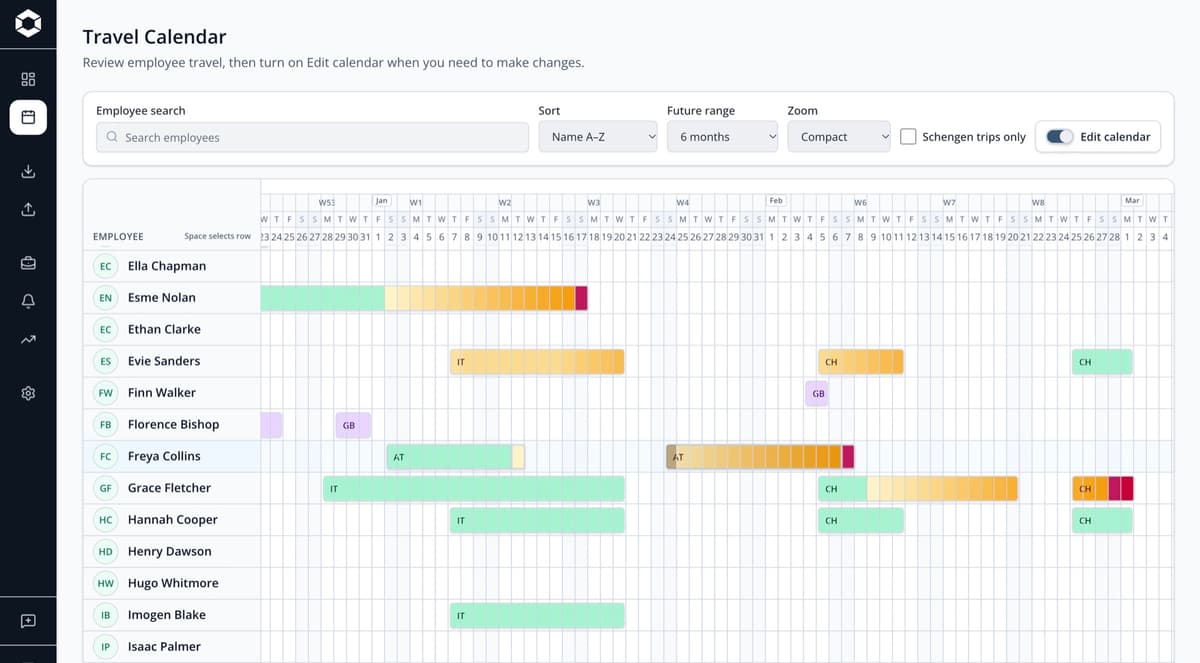
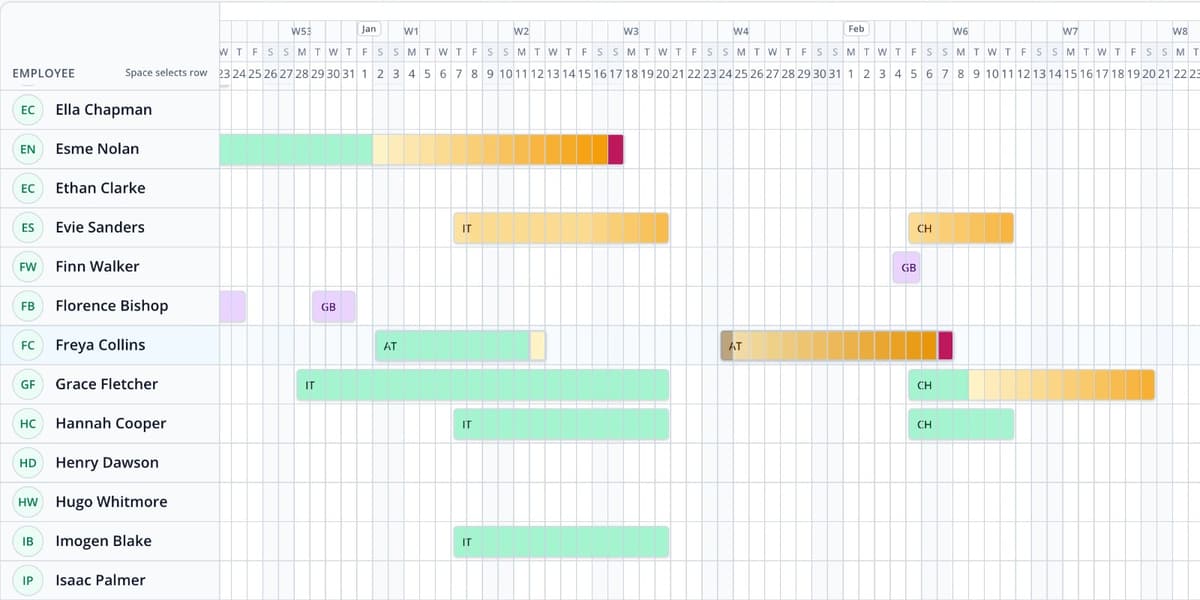
Change a trip and see the knock-on effect
Move, extend, or add a trip, and the calendar updates right away. This includes any other trips affected by the change.
- Edit trips already booked, or add new ones
- See which later trips a change puts at risk
Use it when: plans change, and you need to adjust the schedule fast.
Check proposed travel before booking
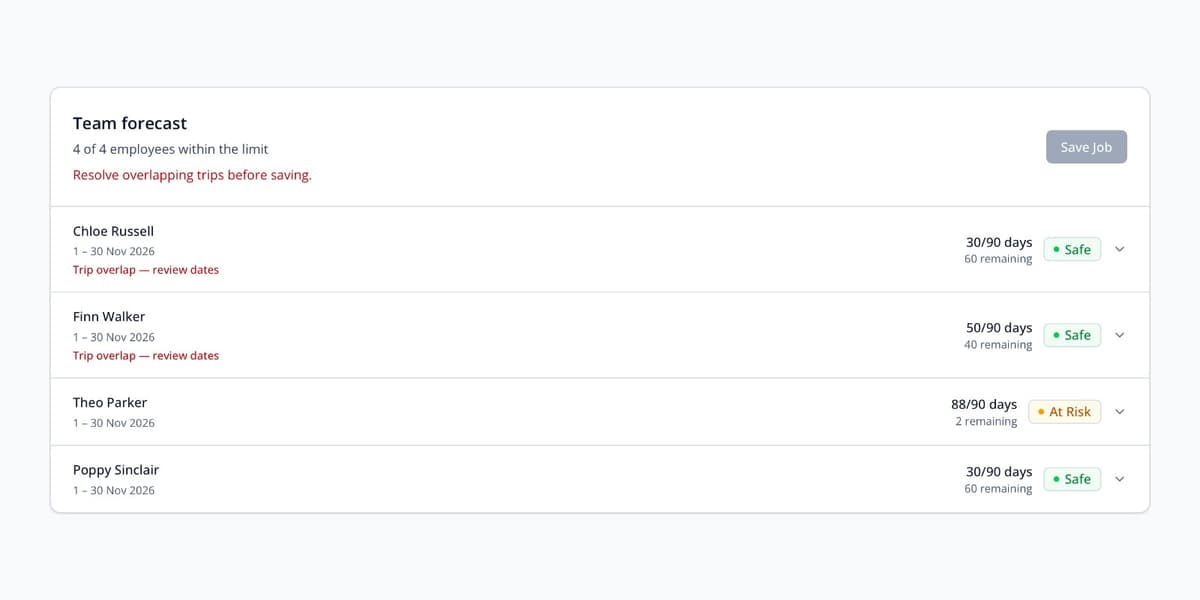
Check a job for one employee or the whole team. Get an instant answer. Forecasts won’t change your confirmed trips.
- One employee against several jobs, or a whole team against one job
- Confirmed work stays exactly as it is
Use it when: deciding whether to accept a job, or sitting in a planning meeting.
A single wrong count can halt a job at the border
The EU Entry/Exit System records external-border crossings for short-stay travellers within its scope. Complete travel records help your team check the rolling allowance before booking.
Refused entry
An employee who exceeds the limit may be denied entry at the border, even after flights and hotels are booked.
Fines and entry bans
Overstays can result in fines and bans from the Schengen Area. The record stays with the employee for future trips.
The job slips
You find out late, rush to swap someone in and explain the delay to your client.
Where spreadsheets fall short
SpreadsheetChecking a team for a new job means going through each person, one by one.
ComplyEurCheck the whole team against a job in one go.
SpreadsheetFormulas and records need updating when plans change.
ComplyEurMove a trip on the calendar and every later trip recolours to match.
SpreadsheetEach proposed date needs a rolling-window check.
ComplyEurChecks the 180-day window ending on each date.
SpreadsheetAn incomplete record can hide a travel risk.
ComplyEurYou see amber and red before approval.
SpreadsheetFour people, four versions, nobody sure which is current.
ComplyEurOne record every approver is looking at.
From travel records to a trip check
- Step 1
Add your team
Add employees and their nationalities. Review residence permits or other exemptions before relying on the standard short-stay calculation.
- Step 2
Import the trips you already keep
Upload a CSV or Excel file, review the suggested column matches, and check the dates before saving the import.
- Step 3
Approve with the answer in front of you
Review days used, days remaining, and any warnings for a proposed trip before booking.
ComplyEur questions, answered
Straight answers about where ComplyEur fits, and where professional advice still matters.
Still have a question? Email support@complyeur.com
What does ComplyEur do?
It shows how many Schengen days each employee has used and how many they have left. It also tells you whether a proposed trip or job keeps them within the 90/180 rule before you approve it.
Who is ComplyEur designed for?
It’s designed for operations managers and travel teams who handle regular employee business trips to the Schengen Area.
We already do this in a spreadsheet. Why is that not enough?
A well-kept spreadsheet can handle the rolling calculation. But risks arise from stale formulas, inconsistent date formats, missing personal travel, and multiple people using different versions. ComplyEur keeps the calculation and the shared trip record in one place.
Can we start with the spreadsheet data we already have?
Yes. Upload your existing spreadsheet as a CSV or Excel file. Your travel history comes with it, so no one needs to re-type employee records. You can also download our templates to fill in and upload.
How is our data kept secure?
The primary database is hosted in the UK and is encrypted both at rest and in transit. This means your data is scrambled while stored and when it moves between your browser and ComplyEur. Each company’s data is kept separate within the database, and we automatically check this separation.
Does ComplyEur replace legal or immigration advice?
No. ComplyEur helps with internal monitoring and approval decisions. It doesn’t replace legal or immigration advice for an employee’s specific situation.
Be one of the first to monitor your team’s Schengen days
A private beta for employers who approve regular travel into the Schengen Area. It’s free while the beta runs.
- One reply within two working days, from the founder.
- Bring your existing CSV or Excel travel records.
- No payment details needed to apply.
Not ready yet? Try the free calculator. It runs the same engine.